
Website
Website with CMS and 4 templates
PureNest is 4 template bundle interactive platform—all built with CMS and deployable ready with source code.
Product overview
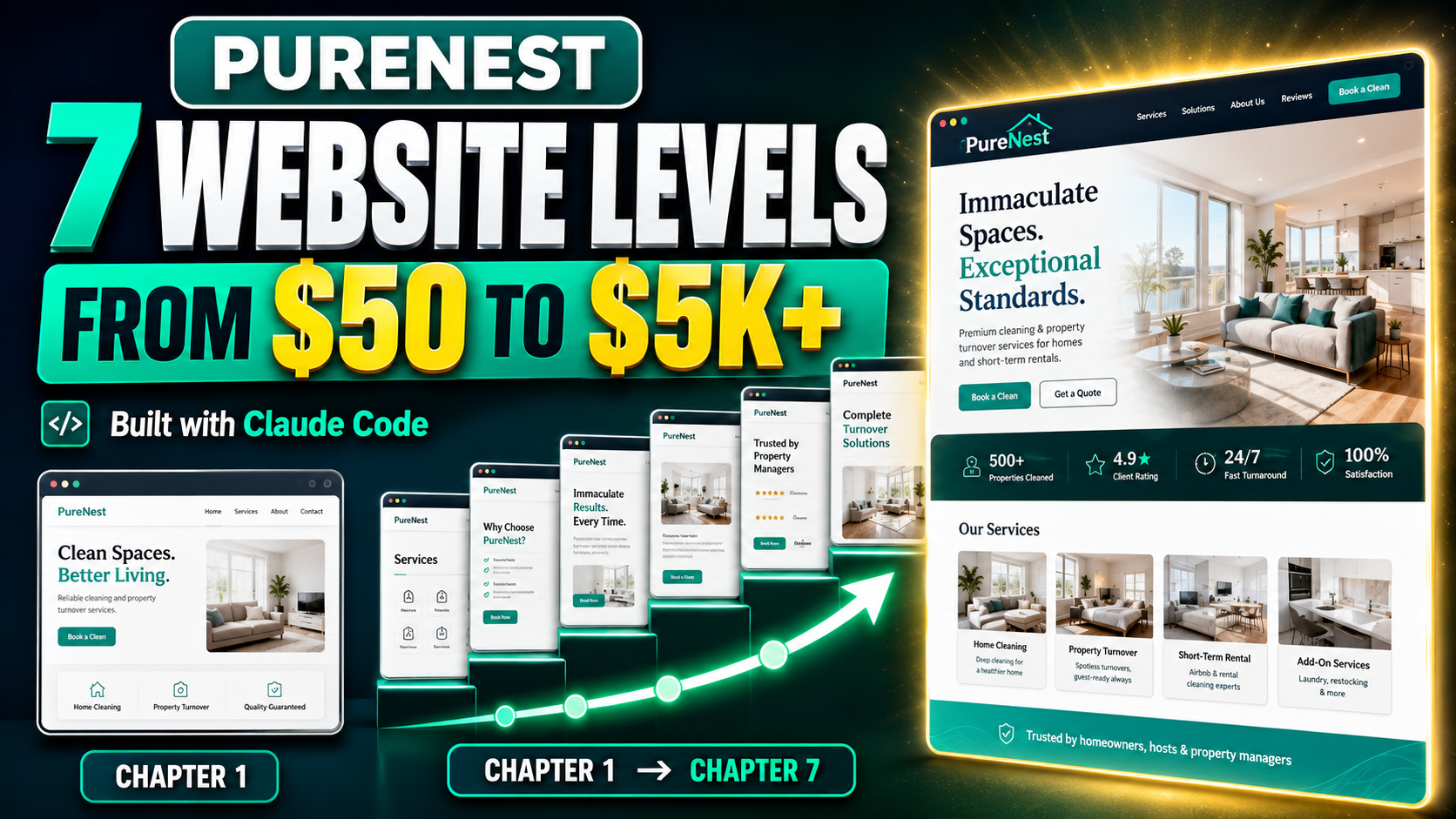
Get the complete PureNest website code package and explore how one cleaning-service website evolves across seven different levels—from a simple one-page starter site to a premium, interactive, CMS-powered digital platform.
This package is designed for developers, freelancers, agency owners, students, and AI builders who want ready-to-use website code they can study, customise, rebrand, and adapt for client projects.
The bundle includes these features:
1. 4 template
2. Quality Assured
3. Dev Ready
4. Full CMS for customisation
5. Chatbot and Knowledge Base Management
6. Full document including setup guide, env guide and ease to make the system live.
7. Availability of Whitelabeling
The code is structured to help you understand how website scope, complexity, and commercial value increase at every stage.
You can use the package as a learning resource, portfolio project, starting point for client work, internal agency template, or foundation for your own cleaning and property-service platform.
All business names, testimonials, statistics, prices, case studies, and contact details are demonstration content and should be replaced before production use. Third-party services, CMS accounts, integrations, hosting, and external credentials may require separate setup.
Problem solved
All the vibe coding websites are making one shot website without CMS and with few pages. This solves completely and along with its capability is dynamic, multi pages more than 50+ pages, chatbot integrated, easy for integration.
Core features
What is included
Setup guide preview
Details will be added soon.
Full agent prompt
Create an account and choose a subscription to view and copy the complete prompt.
Changelog
Current release: 1.0.0 updated 7/17/2026.
Requirements
License summary
- Buyer can use the product for one end project per purchase.
- Buyer can customize the design, content, branding, CMS data, and deployment setup.
- Buyer can deploy the project for their own business or one client project.
- Buyer can connect their own database, APIs, integrations, and hosting.
- Buyer cannot resell, redistribute, sublicense, or share the source package as a template or downloadable product.
- Buyer cannot upload the source package to another marketplace.
- Buyer cannot claim ownership of the original template source as a standalone product.
- Buyer is responsible for replacing demo credentials, securing environment variables, and configuring hosting.
- Buyer is responsible for legal, privacy, cookie, accessibility, and compliance review before production use.
- Product is provided as-is without warranty.
- Seller does not guarantee suitability for every hosting provider, jurisdiction, compliance requirement, or business use case.